How to Use ChatGPT 4o to Generate Phone Wallpapers Step by Step
Follow a clear step-by-step ChatGPT 4o workflow to create, refine, and export phone wallpapers that look premium behind icons and widgets.

Founder & Lead Designer at DreamPixel Studio
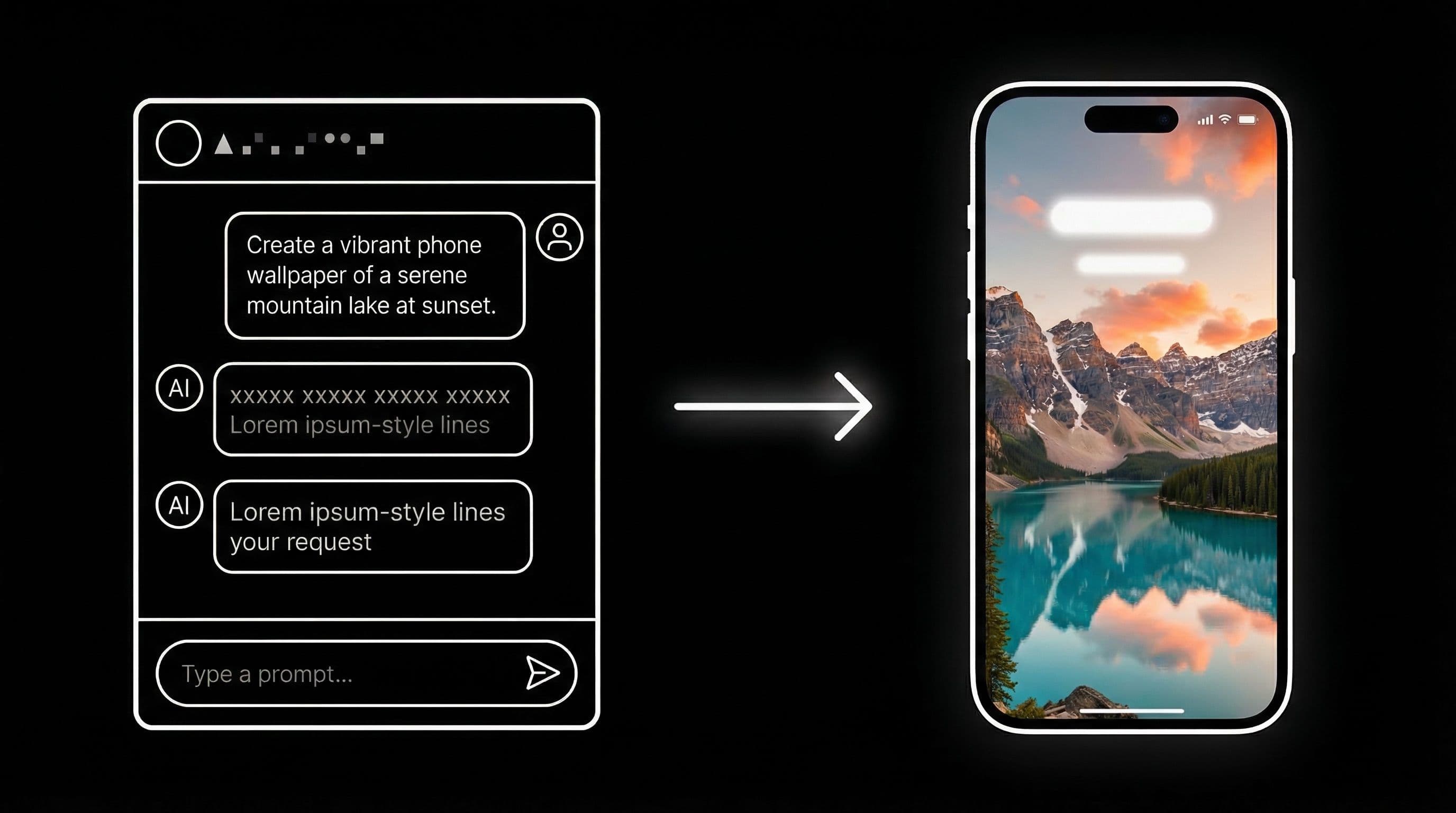
Why ChatGPT 4o Is a Game-Changer for Wallpaper Creation
ChatGPT 4o is not just a chatbot — it is the most accessible prompt engineering tool available for wallpaper creation. You can describe what you want in plain English, ask for variations, request troubleshooting, and refine your prompts through natural conversation. No prompt syntax memorization required.
The real power is in iterative refinement. Instead of writing one prompt, hoping it works, and starting over when it does not, you can have ChatGPT 4o analyze your results, identify exactly what went wrong, and suggest specific prompt modifications. This feedback loop produces dramatically better wallpapers in fewer attempts than working alone.
ChatGPT 4o also generates images directly now, meaning you can go from idea to finished wallpaper in a single conversation. But even if you prefer Midjourney or Stable Diffusion for the final generation, ChatGPT 4o as your prompt architect makes every tool downstream produce better results.
Step 1: Define Your Target Setup Before Prompting
Before you write a single prompt, tell ChatGPT 4o exactly what your phone setup looks like. Start your conversation with a setup brief like this: "I have a Samsung S24 Ultra with a 6.8-inch AMOLED display, 1440x3120 resolution, and I use Nova Launcher with a 5x6 grid. I want a dark anime wallpaper for my home screen that keeps my icons readable."
This context gives ChatGPT 4o enough information to generate prompts with the right aspect ratio, appropriate composition for your grid density, and suitable color constraints for your display type. Without this brief, you get generic prompts that may not work for your specific phone.
Three setup brief examples to copy: "AMOLED home screen, dark theme, 4x5 grid, minimal icons" generates prompts with heavy negative space. "iPhone 16 Pro Max lock screen, always-on display, warm palette" generates prompts with clock-safe upper zones. "Pixel 9 Pro home screen, at-a-glance widget, earthy tones" generates prompts that accommodate Google's large widget.
Pro Tip: Save your setup brief as a note on your phone. Every time you start a new ChatGPT 4o wallpaper session, paste it first — this consistency ensures every session produces phone-ready results from the start.
Step 2: Ask ChatGPT 4o for Prompt Variants
Once your setup is defined, ask ChatGPT 4o for 10 prompt variants with different composition styles. Use this request format: "Generate 10 vertical phone wallpaper prompts for [your style]. Include these composition types: centered subject, side-framed subject, top-heavy focal point, and minimalist negative space. Format each as a copy-paste-ready prompt for [your generation tool]."
This single request gives you diverse composition options while keeping the style consistent. Review all 10 and shortlist your top 3 by imagining which compositions would best accommodate your app icons and widgets in their actual positions on your screen.
The key insight: do not just pick the prompts that sound coolest — pick the ones most likely to produce usable wallpapers. A compositionally boring prompt that leaves clean icon space will outperform an exciting prompt that produces unusable results every single day.
Step 3: Generate Images and Run a Rapid Review Loop
Generate your shortlisted prompts and then bring the results back to ChatGPT 4o. Upload the generated images and ask: "Which of these wallpapers has the best phone usability? What specific changes should I make to the prompt to improve icon readability and screen balance?"
ChatGPT 4o can identify composition problems you might miss — subject placement that conflicts with common widget positions, color temperatures that reduce text contrast, and lighting patterns that create bright spots where icons need to sit. Use its feedback to refine and regenerate.
Two to three rounds of this generate-review-refine loop usually produces wallpapers that are significantly better than your first attempt. The iterative process is where ChatGPT 4o's value really compounds.
Pro Tip: Ask ChatGPT 4o to generate a "negative prompt" list for your chosen style. Negative prompts (things to exclude) are just as important as positive prompts for reducing clutter, text artifacts, and unwanted visual elements.
Step 4: Create Lock/Home Pairs with Refinement Prompts
Take your best prompt and ask ChatGPT 4o for two refinements: "Create a lock screen version with dramatic focal center and intense lighting" and "Create a home screen version with calmer center zone, icon-safe spacing, and softer ambient lighting." This produces a matched pair from one style concept.
Name your outputs consistently: "style-name-lock" and "style-name-home." This naming convention makes your wallpaper collection immediately navigable when you have dozens of options saved over time.
For extra polish, ask ChatGPT 4o: "What post-processing adjustments should I make to this wallpaper for better phone readability?" It will often suggest specific brightness, contrast, or gradient overlay modifications that take a good wallpaper to a great one.
Five Specific Conversation Starters for ChatGPT 4o
Copy these into ChatGPT 4o: 1) "Create 10 vertical 9:19.5 prompts for dark anime wallpaper with icon-safe zones, suitable for AMOLED home screen." 2) "Here is my current wallpaper prompt [paste]. Rewrite it to improve icon readability on an AMOLED home screen with a 5x6 grid."
3) "Generate negative prompt terms for reducing noisy neon artifacts in dark AI wallpapers." 4) "Convert this lock-screen prompt into a home-screen-safe version while keeping the same visual style: [paste prompt]." 5) "Produce three aesthetic variants of this concept — minimal, cinematic, and abstract — all optimized for vertical phone wallpaper."
These conversation starters work because they give ChatGPT 4o clear constraints and output formats. The more specific your request, the more useful the response.
Save and Rotate Your Best Generations with DreamPixel
Use DreamPixel to store your ChatGPT-assisted wallpapers organized by style and screen type (lock vs home). Keep only wallpapers that pass your real-world readability test at indoor, outdoor, and dark-mode brightness levels.
Your library quality improves fast when every saved image has been through the ChatGPT 4o refinement loop and your personal QA process. After a month, you will have a curated collection that is genuinely better than anything you can find pre-made online.
Conversation Prompts That Get Better Assistant Output
Most people use ChatGPT 4o as a one-shot image generator: write prompt, get image, done. But the real power is in iterative conversation. Ask ChatGPT to critique your prompt against a specific rubric before generating: "Before generating, please evaluate my prompt for: composition clarity (is the vertical layout specified?), icon-safe zones (is there a calm area for phone icons?), color balance (will this work on AMOLED?), and model compatibility (is this prompt optimized for DALL-E 3 output?)."
This produces structured feedback that highlights weaknesses you would have missed. Then ask for side-by-side rewrites: "Give me two alternative versions of this prompt — one optimized for dramatic impact and one optimized for maximum phone readability. Include tradeoff notes explaining what each version sacrifices." This multi-version approach lets you make informed creative decisions instead of guessing.
Reusable Prompt Brief Template
Create a reusable prompt brief with these fields: Mood (one word: cinematic/ethereal/minimal/bold), Subject (specific description of the main visual element), Palette (3-4 specific colors or a named scheme like "deep AMOLED"), Composition Zone (where should the subject sit relative to the phone screen — lower third, center, full frame), Lock/Home Intent (which screen is this designed for and what readability constraints matter).
Paste this brief at the start of every ChatGPT 4o session. The brief acts as creative guardrails that prevent drift and ensure every generated image is phone-ready from the first generation. As your personal style evolves, update only the brief defaults rather than rewriting your entire process — change your Palette defaults seasonally, your Mood preferences by month, or your Composition Zone based on which phone you are currently using.
Related Articles

How to Create Stunning Phone Wallpapers with AI — Complete Beginner Guide 2026
Learn a complete beginner workflow to create stunning AI phone wallpapers in 2026, from prompt writing to 4K export and clean icon-ready setup.
How to Write AI Prompts for Anime Wallpapers — Pro Tips & Examples
Write better anime wallpaper prompts with a clear framework, practical modifiers, and tested examples for cleaner composition and stronger phone readability.
50 Ready-to-Use AI Wallpaper Prompts for Every Aesthetic Style
Use 50 ready-to-use AI wallpaper prompts with exact copy-paste lines across AMOLED, anime, minimal, nature, cyberpunk, and retro styles for better phone results.
FAQ
Can ChatGPT 4o generate wallpaper images directly?
Yes, ChatGPT 4o can now generate images directly in conversation. You can go from idea to finished wallpaper without leaving the chat. However, you can also use it purely as a prompt engineer — crafting and refining prompts for Midjourney, DALL-E, or Stable Diffusion.
How many refinement iterations are usually enough?
Two to three rounds of generate-review-refine typically produce strong results. Beyond three rounds you hit diminishing returns. If the concept is not working after three iterations, it is usually more efficient to start fresh with a different style direction.
Should I ask for negative prompts?
Always. Negative prompts (what to exclude) are often more impactful than positive prompts. Common negative prompt terms for wallpapers include: "no text, no watermark, no logo, no blurry areas, no oversaturated neon, no human hands, no distorted faces." These dramatically reduce unusable outputs.
How do I maintain style consistency across multiple wallpapers?
Tell ChatGPT 4o to create a "style brief" — a reusable paragraph describing your preferred color palette, lighting style, composition rules, and mood. Paste this brief at the start of every prompt session. This ensures all wallpapers feel like they belong to the same collection.
What is the best way to test ChatGPT 4o wallpaper quality?
Apply the wallpaper to your actual phone and live with it for 24 hours. Check readability during your morning commute, lunch break, and evening browsing. Screenshots and previews never reveal the usability issues that emerge during real daily use.
Download free wallpapers at DreamPixel
Back to all articles