50 Ready-to-Use AI Wallpaper Prompts for Every Aesthetic Style
Use 50 ready-to-use AI wallpaper prompts with exact copy-paste lines across AMOLED, anime, minimal, nature, cyberpunk, and retro styles for better phone results.

Founder & Lead Designer at DreamPixel Studio
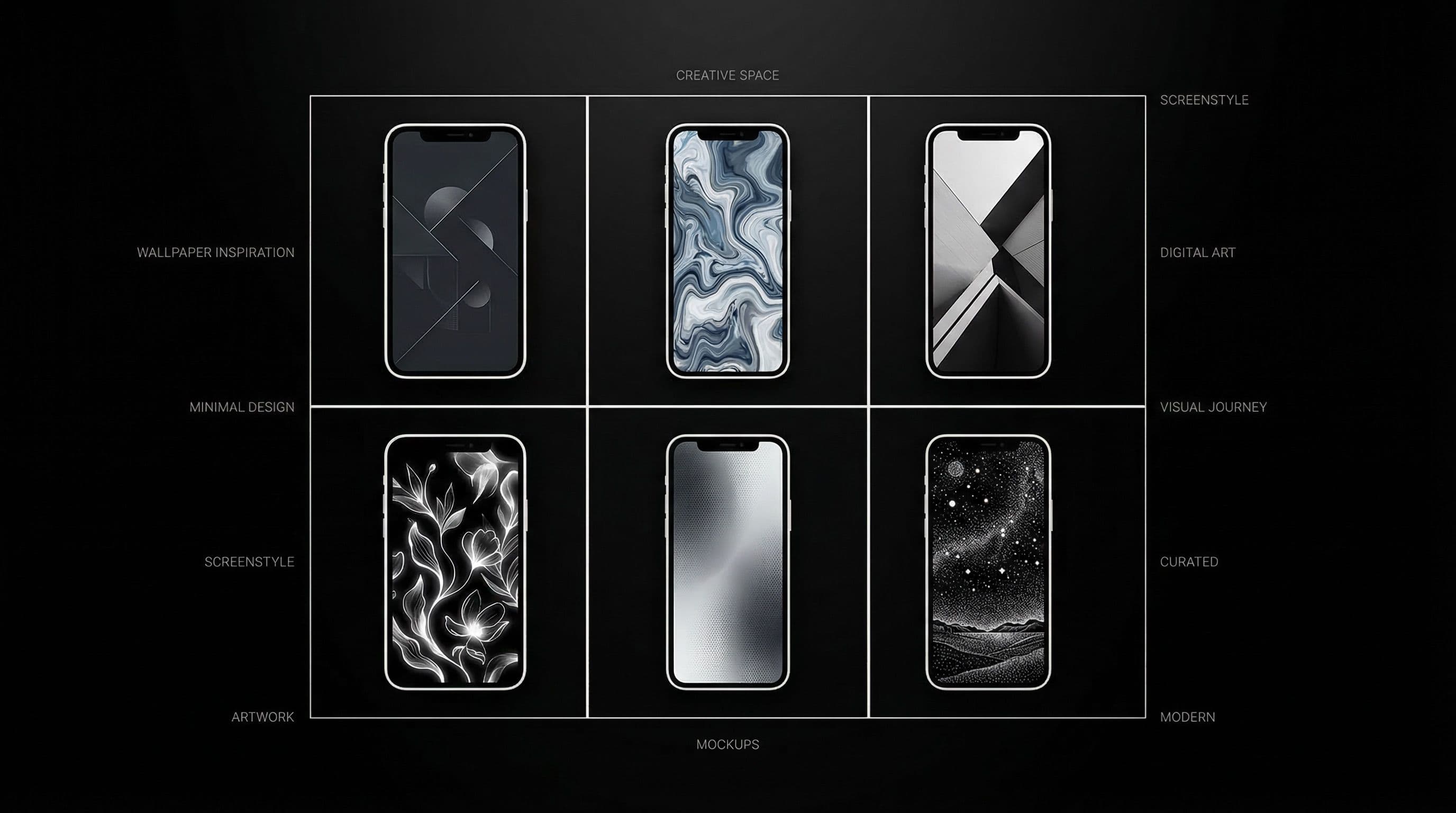
Why Ready-to-Use AI Wallpaper Prompts Save You Hours
Here is the reality of AI wallpaper creation without a prompt library: you spend 20 minutes crafting a prompt, generate 4 images, realize the composition is wrong for your phone, rewrite the prompt, generate again, realize the colors are too saturated, and eventually settle for something "good enough" after an hour of work.
Ready-to-use AI wallpaper prompts eliminate that cycle. Every prompt below includes composition constraints, color direction, and phone-specific formatting instructions. You copy, paste, generate, and get usable results on your first or second attempt. These are not vague style suggestions — they are production-ready prompts tested for phone wallpaper readability.
This collection covers 50 prompts across five style categories: dark AMOLED, anime and cinematic, minimal and luxury, nature and calm, and cyberpunk/retro/abstract. Pick your category, generate a batch, score the results, and build a premium wallpaper pack in under 30 minutes.
Ready-to-Use AI Wallpaper Prompts 1-10: Dark and AMOLED
1) "minimal black mountain silhouette, soft moon rim light, true black background, icon-safe center, vertical 1440x3200, no text." 2) "dark marble texture with thin gold veins, matte finish, low noise, home-screen friendly composition, vertical 9:19.5." 3) "black desert night sky, single neon horizon line, subtle glow, clean top status zone, AMOLED-optimized, vertical phone wallpaper." 4) "AMOLED raven portrait, side framing, charcoal background, readable label area, high detail feather texture, vertical 9:19.5." 5) "dark cathedral corridor, cyan edge light only, no bloom spill, centered depth, vertical phone wallpaper."
6) "moonlit pine forest in fog, deep black shadows, silver highlights, low-detail icon lanes, vertical 9:19.5." 7) "black samurai silhouette, crimson rim light, cinematic grain-free finish, true black background, vertical phone wallpaper." 8) "minimal obsidian waves, soft specular reflections, low contrast center, AMOLED-safe, vertical 9:19.5." 9) "night city skyline with one magenta accent, subdued reflections, lock-screen dramatic crop, vertical phone wallpaper." 10) "AMOLED abstract ink flow, graphite palette, smooth gradient, clean widget-safe top, vertical 9:19.5, no text, no watermark."
These dark prompts work because they limit accent colors to one per image and explicitly protect icon space. True black backgrounds save battery on AMOLED displays while creating dramatic depth.
Pro Tip: Add "no text, no watermark, no logo, no UI elements" to every dark prompt. AI models frequently generate placeholder text in dark scenes, creating unusable outputs that waste your generation credits.
Ready-to-Use AI Wallpaper Prompts 11-20: Anime and Cinematic
11) "anime rooftop sunset, warm-orange sky, cool shadow foreground, side-framed character, icon-safe middle zone, vertical 9:19.5." 12) "rainy anime alley, blue-purple neon, reflective pavement, low clutter background, vertical phone wallpaper." 13) "samurai dusk silhouette, crimson cloud edge light, cinematic depth, clean top third for clock, vertical 9:19.5." 14) "minimal anime train window scene, mist outside, calm gradient center, home-screen safe, vertical phone wallpaper." 15) "fantasy mage profile, moonlit particles, dark navy base, soft contrast, icon-safe spacing, vertical 9:19.5."
16) "mecha pilot close-up, warning red accents, matte steel textures, no busy overlays, vertical phone wallpaper." 17) "shrine stairs at twilight, lantern glow, low-detail sky zone for widgets, warm amber and deep blue, vertical 9:19.5." 18) "anime street crossing at night, teal highlights, controlled bloom, clean negative space, vertical phone wallpaper." 19) "hero cape silhouette in storm, dramatic lock-screen framing, high contrast, vertical 9:19.5." 20) "quiet anime bedroom rain scene, soft desk lamp, cozy low-noise composition, home-screen friendly, vertical phone wallpaper."
Anime prompts improve dramatically when you specify subject position ("side-framed," "lower third") and explicitly define which zones should stay visually calm.
Pro Tip: Append this universal suffix to any anime prompt: "high detail, clean edges, vertical 9:19.5, icon-safe composition, anime illustration style, no text, no watermark." It standardizes output quality across different AI models.
Ready-to-Use AI Wallpaper Prompts 21-30: Minimal and Luxury
21) "minimal beige paper texture, soft shadow gradient, calm central lane for icons, vertical phone wallpaper 9:19.5." 22) "white stone surface with subtle pores, warm side light, no heavy texture in center, clean composition, vertical 9:19.5." 23) "champagne silk fold abstract, soft highlights only, home-screen readability priority, luxury feel, vertical phone wallpaper." 24) "luxury black and gold arc pattern, elegant low-noise geometry, icon-safe spacing, vertical 9:19.5." 25) "minimal graphite and silver bands, smooth transitions, clean dock area, vertical phone wallpaper."
26) "cream and taupe gradient horizon, soft vignette, icon-friendly spacing, warm minimal aesthetic, vertical 9:19.5." 27) "polished onyx surface with faint metallic accents, balanced contrast, home-screen safe, vertical phone wallpaper." 28) "minimal monochrome circles on matte background, low visual weight, clean composition, vertical 9:19.5." 29) "soft ivory marble, restrained veining, high clarity macro detail, icon-safe center, vertical phone wallpaper." 30) "luxury satin bronze abstract, cinematic lighting but uncluttered layout, vertical 9:19.5, no text."
Minimal and luxury prompts reward restraint. Keep texture density low in the center 60 percent of the frame and let one premium material or color accent do all the aesthetic work.
Ready-to-Use AI Wallpaper Prompts 31-40: Nature and Calm Aesthetic
31) "misty pine valley sunrise, soft rays through trees, low-detail center zone, realistic color grade, vertical phone wallpaper 9:19.5." 32) "mountain lake dawn reflection, pale blue fog, lock-screen clock-safe sky, calm tones, vertical 9:19.5." 33) "wildflower meadow at golden hour, gentle depth blur at icon zones, warm pastoral mood, vertical phone wallpaper." 34) "rainforest canopy with filtered light beams, medium contrast, natural greens, icon-safe center, vertical 9:19.5." 35) "desert dunes twilight, smooth gradients, minimalist horizon line, vertical phone wallpaper."
36) "snow forest trail under moonlight, deep quiet blue tones, clean top zone for clock, vertical 9:19.5." 37) "ocean cliff overcast mood, cinematic cool palette, low visual noise, vertical phone wallpaper." 38) "waterfall canyon in early morning mist, subdued highlights, balanced saturation, vertical 9:19.5." 39) "northern lights minimal landscape, dark base with controlled aurora above, icon-safe lower half, vertical phone wallpaper." 40) "autumn path with warm foliage edges, center kept calm for icons, gentle bokeh background, vertical 9:19.5."
Nature prompts need careful saturation control. Over-vivid greens and blues look unnatural on phone screens. Use "realistic color grade," "subdued highlights," and "balanced saturation" to keep nature wallpapers premium.
Ready-to-Use AI Wallpaper Prompts 41-50: Cyberpunk, Retro, and Abstract
41) "cyberpunk rain alley, magenta and teal accents, dark matte streets, icon-safe center, vertical phone wallpaper 9:19.5." 42) "neon megacity rooftop view, purple-blue glow, controlled reflections, clean middle zone, vertical 9:19.5." 43) "hologram market street, night fog diffusion, contrast-safe composition, vertical phone wallpaper." 44) "retro sunset grid horizon, soft film grain, low clutter foreground, synthwave palette, vertical 9:19.5." 45) "Y2K chrome bubble skyline, pastel neon highlights, clean middle lane for icons, vertical phone wallpaper."
46) "abstract liquid metal ribbons, charcoal base, restrained glossy reflections, vertical 9:19.5." 47) "digital wave interference pattern, cyan accents on dark background, smooth transitions, vertical phone wallpaper." 48) "minimal glitch art composition, balanced noise, high readability, vertical 9:19.5." 49) "retro arcade corridor, moody neon lighting, clear icon zones in center, vertical phone wallpaper." 50) "futuristic transit tunnel with single white light source, deep perspective, no over-bloom, vertical 9:19.5, no text."
Bold cyberpunk and retro styles stay usable only when bloom effects and neon intensity are deliberately constrained. Use "controlled," "restrained," and "subtle" as modifiers to prevent AI models from flooding the frame with light effects.
Turn These Prompts into a Real Wallpaper Pack: Step-by-Step
Step 1: Pick one category that matches your current mood and generate 2-3 variants from each of 5 prompts (10-15 total images). Step 2: Score each image immediately — 5 means "instant favorite," 1 means "delete." Keep only 4s and 5s. Step 3: Upscale winners to 4K using Upscayl or your preferred upscaler.
Step 4: Create lock and home variants from each winner. Lock versions keep full drama, home versions get a subtle dark gradient overlay in the icon zone. Step 5: Test every finalist on your actual phone at low brightness, outdoor brightness, and dark mode. Step 6: Save only the wallpapers that pass all three tests into your active DreamPixel collection.
This process takes about 30 minutes per category and produces 3-5 genuinely great wallpapers. Do one category per week and after two months you will have a premium personal collection of 30+ tested wallpapers covering every mood.
Pro Tip: Use a consistent naming format — "dark-raven-lock-v1" and "dark-raven-home-v1" — so your collection stays organized even as it grows to dozens of wallpapers.
Production Examples from Real Users
Example A — Dark AMOLED Pack: used prompts 1, 4, and 9, generated 12 images total, scored and kept 4 winners, upscaled to 4K, created 4 lock and 3 home variants. Final pack: 7 wallpapers that rotate weekly. Example B — Anime Pack: prompts 12, 15, and 18 generated 15 images, final set narrowed to one dramatic rain lock and one calm bedroom home wallpaper, both AMOLED-optimized.
Example C — Minimal Productivity Pack: prompts 22, 26, and 29 produced the most readability-friendly results, especially for home screens with 5x6 icon grids. The neutral palettes made folder labels and badge counts effortlessly visible. These three packs demonstrate why category-focused generation beats random prompting — you build cohesive collections instead of mismatched individual wallpapers.
Build Your Prompt-to-Wallpaper System with DreamPixel
Organize your DreamPixel collection into three rotation folders: "Lock Dramatic" for high-impact lock screens, "Home Clean" for icon-safe home backgrounds, and "Seasonal" for themed wallpapers you rotate monthly. This structure makes Monday morning wallpaper switching a 10-second decision instead of a 10-minute scroll.
Use these 50 ready-to-use AI wallpaper prompts as your base library, then gradually replace weak performers with stronger versions as your prompt skills improve. Download free wallpapers at DreamPixel to supplement your AI-generated collection with curated professional options.
How to Turn Prompt Lists into Content Systems
A list of 50 prompts is useless if it sits unexecuted in your notes. Turn it into a production system by treating each 10-prompt category as a mini sprint: Monday generate all 10 prompts in the category, Tuesday shortlist the top 3 outputs, Wednesday upscale and crop the winners to phone resolution, Thursday apply each to your phone for real-world testing, Friday publish the best to your favorites folder and archive everything else.
Track "win rates" by category: after a month of sprints, you will know that your dark AMOLED prompts produce winners 40 percent of the time while your nature minimal prompts only win 20 percent of the time. This data tells you where to invest more creative energy and which categories need prompt refinement. Execution systems matter more than raw prompt quantity — 10 prompts that you actually generate, test, and curate produce more value than 500 prompts sitting in a document.
Category Rotation Plan for Monthly Variety
If you use all 50 prompts at once, you will burn out and your phone aesthetic will feel chaotic. Instead, rotate by category weekly: Week 1 — dark AMOLED prompts. Week 2 — anime and cinematic prompts. Week 3 — nature and minimal prompts. Week 4 — retro and abstract prompts. Each week focuses on one aesthetic family, which keeps your phone looking cohesive during the week while ensuring monthly variety.
At the end of each month, you have tested prompts from all categories and can build a "best of month" collection from the weekly winners. Archive all outputs that did not make the weekly cut — do this every Friday without exception. This scheduled pruning prevents the common trap of keeping 200+ mediocre wallpapers "just in case." Your collection quality is defined by what you remove, not what you keep.
Related Articles
How to Create Stunning Phone Wallpapers with AI — Complete Beginner Guide 2026
Learn a complete beginner workflow to create stunning AI phone wallpapers in 2026, from prompt writing to 4K export and clean icon-ready setup.
How to Use ChatGPT 4o to Generate Phone Wallpapers Step by Step
Follow a clear step-by-step ChatGPT 4o workflow to create, refine, and export phone wallpapers that look premium behind icons and widgets.
How to Write AI Prompts for Anime Wallpapers — Pro Tips & Examples
Write better anime wallpaper prompts with a clear framework, practical modifiers, and tested examples for cleaner composition and stronger phone readability.
FAQ
Do these ready-to-use AI wallpaper prompts work on Midjourney, DALL-E, and Stable Diffusion?
Yes, all 50 prompts work across all major AI models. Minor adjustments may help — Midjourney responds well to "--ar 9:19" appended, DALL-E handles them as-is, and Stable Diffusion benefits from adding your preferred checkpoint and negative prompt template alongside them.
How many images should I generate per prompt?
Generate 2 to 4 variations per prompt. With 5 prompts per session, that gives you 10-20 images to score. Keep only the top 20-30 percent for upscaling and testing. This ratio gives enough variety without overwhelming your curation process.
What is the fastest way to improve home-screen readability?
Choose prompts with explicit "icon-safe center" or "clean center zone" instructions and pick outputs with naturally low texture density in the middle 50-60 percent of the frame. If a wallpaper is almost good enough, a 10-15 percent opacity dark gradient overlay on the icon area usually fixes readability without ruining the aesthetic.
Should lock and home screen use different wallpapers?
Almost always yes. Lock screens can handle dramatic, high-contrast compositions because they only display a clock and notifications. Home screens need calmer center zones where 20-30 app icons must remain legible. Using matched variants from the same prompt keeps your aesthetic consistent while serving both functional needs.
How often should I refresh my wallpaper prompt packs?
Add one new category per week and review your full collection monthly. Archive any wallpaper that fails your real-world usability test. After three months, your collection naturally converges on the styles and compositions that genuinely work for your phone and daily habits.
Download free wallpapers at DreamPixel
Back to all articles