Dark Cottagecore Wallpapers for Phone — Moody Floral & Forest Aesthetic
Build a moody floral and forest phone setup with dark cottagecore wallpapers that stay readable behind icons while keeping a dreamy aesthetic.

Founder & Lead Designer at DreamPixel Studio
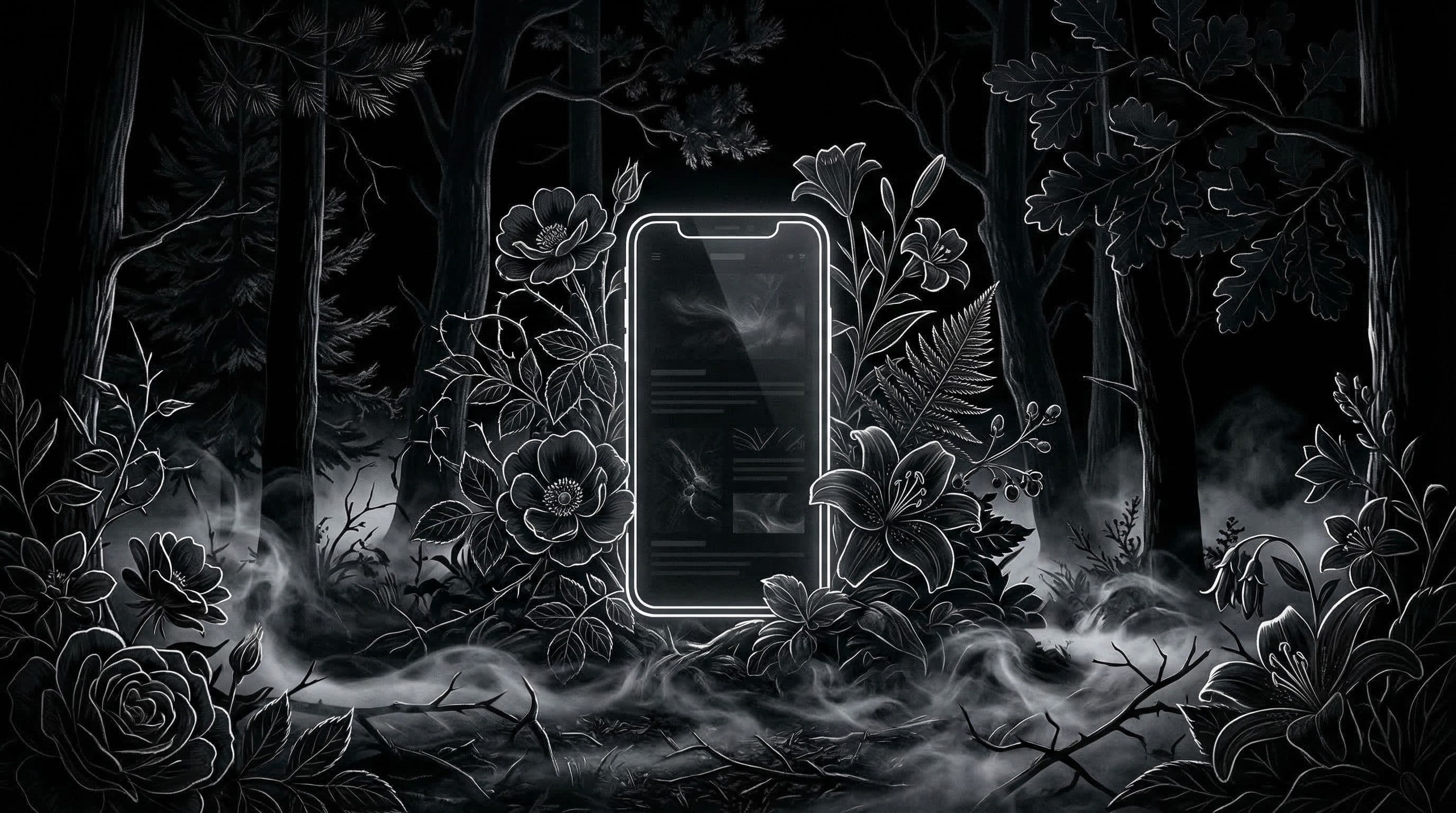
Why Dark Cottagecore Wallpapers for Phone Feel So Addictive
Dark cottagecore wallpapers for phone tap into something deeper than aesthetics — they create a feeling of quiet mystery every time you unlock your screen. Imagine misty forest trails, vintage candlelit cottage windows, and wildflowers blooming in moonlight. These images carry emotional weight that clean minimalist or bright gradient wallpapers simply cannot match.
What makes this aesthetic work so well on phones specifically is the color palette. Deep forest greens, muted burgundy, warm amber highlights against charcoal shadows — these tones naturally create the contrast you need for readable icons while maintaining rich visual atmosphere. Dark cottagecore is one of the few aesthetic styles that is simultaneously beautiful and practical.
The style has surged in popularity because it offers personality without visual chaos. Your phone looks intentional, curated, and personal — not generic, not overwhelming, and not like everyone else's default gradient wallpaper.
How to Choose Moody Floral Backgrounds That Stay Readable
The biggest mistake with dark cottagecore wallpapers is choosing full-frame floral patterns where dense flowers and leaves cover every inch of the image. These look gorgeous in a gallery — and become a readability nightmare the moment you place 25 app icons on top of them.
Instead, choose wallpapers with one focal bloom cluster and darker negative space around the icon grid area. A single arrangement of wildflowers in the lower-left corner with deep shadow filling the rest of the frame gives you both the cottagecore aesthetic and clean icon space. The best dark cottagecore wallpapers use directional lighting — one soft source illuminating the floral subject while the rest of the scene falls into natural shadow.
For AI-generated options, use this prompt structure: "dark cottagecore still life, single wildflower arrangement, candlelight from left side, deep shadow background, muted vintage tones, icon-safe center zone, vertical phone wallpaper 9:19.5, no text." The specificity of "single arrangement" and "icon-safe center" prevents the AI from generating overcrowded compositions.
Pro Tip: Add "soft top-to-bottom vignette" to any dark cottagecore AI prompt. This creates a natural darkening at the top of the image that keeps your status bar clock, battery icon, and signal bars effortlessly readable.
Step-by-Step Setup for Forest Aesthetic Lock and Home Screens
Step 1: Curate 6 wallpapers in a consistent palette — deep green, charcoal, and muted burgundy. All 6 should feel like they belong to the same visual story. Step 2: Sort them into "dramatic" (full visual intensity, bold subjects) and "calm" (softer composition, more negative space).
Step 3: Assign your 3 dramatic versions as lock screen options. Lock screens only need to accommodate a clock and notification text, so bold compositions work perfectly. Step 4: Assign your 3 calm versions as home screen options. These need clean center zones where your icon grid sits. Step 5: Test every wallpaper at three brightness levels — indoor, outdoor, and minimum dark-mode brightness.
Step 6: Keep only the wallpapers where icon labels remain clear in one glance at all three brightness levels. If you squint even slightly, that wallpaper goes to your archive. This ruthless filtering is what separates a premium phone setup from a messy collection.
Five Real Style Examples You Can Build Today
Style 1: "Midnight Wildflowers" — dried flowers against pure black background, warm amber lighting from one side, vintage botanical study feeling. Perfect for AMOLED screens. Style 2: "Foggy Pine Path" — misty forest trail vanishing into distance, deep green and charcoal tones, path creating natural leading lines that your icon rows follow.
Style 3: "Raven Cottage Window" — view through an old window frame into a rainy garden, rain droplets on glass catching warm interior light, dark frame creating natural icon-safe borders. Style 4: "Mushroom Lantern Grove" — bioluminescent mushrooms on a mossy forest floor, soft glow providing natural focal point, deep black forest canopy above. Style 5: "Moonlit Ivy Wall" — old stone wall covered in dark ivy, single moonbeam creating a pool of silver light, textured but calm enough for icon readability.
These are not just names — they are composition blueprints. Each one describes subject, lighting, and where visual intensity should live relative to your icon grid.
Common Mistakes That Break the Dark Cottagecore Look
Mistake 1: Over-saturated greens and reds. Real cottagecore tones are muted, earthy, and vintage — not neon forest green or bright cherry red. Use "muted," "desaturated," and "vintage color grade" in your prompts to prevent cartoon-like output that clashes with the aesthetic.
Mistake 2: Low-resolution source images. Cottagecore wallpapers rely on texture detail — wood grain, leaf veins, fabric weave, stone surface. At low resolution, these textures become blurry smears that look cheap instead of cozy. Always use 4K vertical sources or upscale before applying.
Mistake 3: Mixing too many focal elements. A cottage window AND a flower bouquet AND a cat AND a bookshelf AND fairy lights all in one wallpaper creates visual chaos. Pick one primary subject and let everything else fade into atmospheric background. Single-subject compositions always look more premium.
Pro Tip: Keep one neutral-toned fallback wallpaper — something like a simple dark wood texture with subtle grain — for productivity-heavy days when you want zero visual distractions from your apps.
Curate Your Dark Cottagecore Pack with DreamPixel
Create a dedicated dark cottagecore folder in DreamPixel and enforce a strict 5-wallpaper limit per week. When you add a new wallpaper, it must replace the weakest performer. This constraint forces quality improvement over time and prevents your collection from becoming a dump of "maybe" images.
Rotate your active wallpaper every 2-3 days to keep the aesthetic fresh without losing cohesion. Since all wallpapers in your folder share the same palette and mood, every rotation feels intentional rather than random. This is how you build a phone setup that looks curated, not collected.
Seasonal Palette Variants for Dark Cottagecore
Dark cottagecore wallpapers can feel repetitive if you use the same earthy palette year-round. Build seasonal variants: spring — deep ivy greens with pale wildflower accents against dark garden walls. Autumn — rich burgundy, burnt umber, and dried flower arrangements against twilight skies. Winter — charcoal florals, frost-kissed branches, and smoke-gray atmospheres with warm candlelight accents.
Use the same core composition template (dark background, centered organic motif, calm icon zone) for each season so only the color palette changes. This preserves your visual "brand" while adding seasonal freshness that makes your phone feel current and intentional throughout the year.
Texture Rules for Premium Moody Screens
Texture is what separates a premium dark cottagecore wallpaper from a flat, boring dark background — but texture placement matters enormously. Rule 1: limit rough textures (stone, bark, burlap, woven linen) to the edges and corners of the frame. Rule 2: keep the center third cleaner for icon readability — use softer textures like smoky gradients, gentle candlelight warmth, or unfocused bokeh in this zone.
Excessive grain or fine leaf detail spread across the entire frame makes screens feel busy and reduces icon legibility. Use soft vignettes (darker edges that gradually brighten toward center) to guide focus toward your chosen focal motif while naturally darkening the areas behind icons. The difference between "cozy and moody" versus "cluttered and noisy" is entirely about texture placement discipline.
Related Articles

Best Jujutsu Kaisen Wallpapers 2026 — Gojo, Sukuna & Yuji Itadori
Find the best Jujutsu Kaisen wallpapers 2026 with Gojo, Sukuna, and Yuji styles that look sharp on lock screen and home screen setups.
Best Solo Leveling (Sung Jin-woo) Wallpapers for Phone — 4K AMOLED
Build a dark premium phone aesthetic with Solo Leveling wallpapers 4K AMOLED featuring Sung Jin-woo shadow army scenes and high-contrast edits.

Best Frieren: Beyond Journey's End Wallpapers for Android & iPhone
Choose calm, magical Frieren wallpapers that fit Android and iPhone screens while keeping lock screen text readable and beautiful.
FAQ
What colors define dark cottagecore wallpaper style?
Deep forest greens, muted burgundy, charcoal blacks, warm amber highlights, and soft cream or ivory accents. The key is that every color should feel muted and earthy — nothing bright, neon, or digitally vivid. Think of how colors look in candlelight, not in direct sunlight.
Do dark floral wallpapers work on AMOLED phones?
Exceptionally well. Dark cottagecore wallpapers with deep shadow areas look stunning on AMOLED displays because pure black zones turn pixels completely off, creating dramatic contrast with the warm floral highlights. The style was practically made for AMOLED screens.
How many wallpapers should I keep in active rotation?
Five to seven maximum. Enough for variety throughout the week, few enough that every option is genuinely great. If you find yourself scrolling past wallpapers to reach the good ones, your collection is too large.
Should lock and home screen use the same image?
Use matched variants from the same style family. Your lock screen can handle the dramatic, detailed version because it only shows a clock and notifications. Your home screen needs the calmer variant with icon-safe composition in the center.
What is the fastest quality check for a new wallpaper?
Apply it as your home screen, open your busiest app page, and try to read every app label without pausing. If any label makes you hesitate even slightly, the wallpaper fails the test. This one-glance check takes 5 seconds and catches 90 percent of readability problems.
Download free wallpapers at DreamPixel
Back to all articles