Dark Academia Wallpapers — Moody, Bookish & Atmospheric Phone Backgrounds
Curate dark academia wallpapers with moody libraries, vintage textures, and atmospheric tones that look elegant and practical on phones.

Founder & Lead Designer at DreamPixel Studio
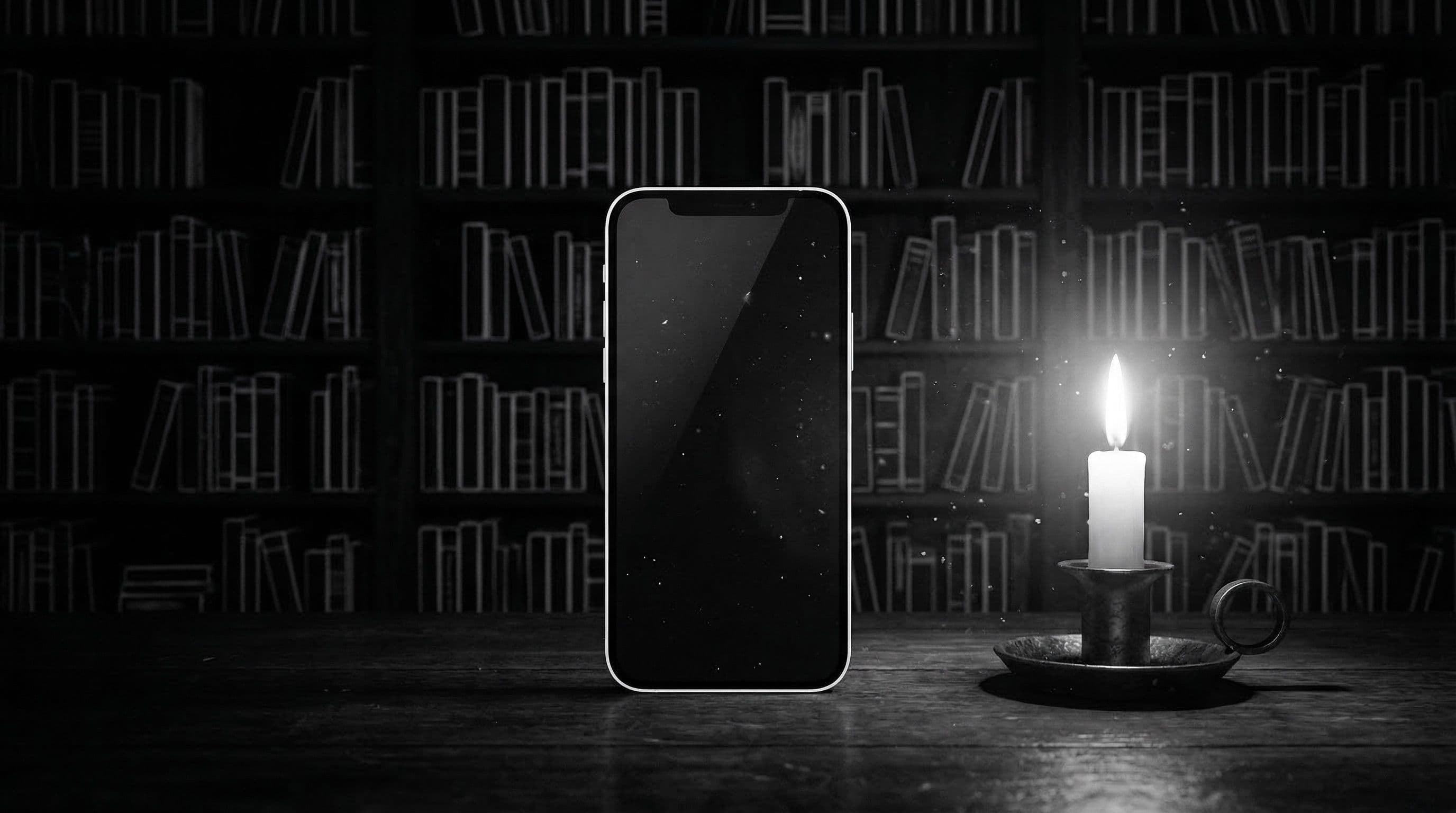
Why Dark Academia Wallpapers Look Instantly Premium
Dark academia wallpapers transform your phone into a pocket-sized mood board of intellectual elegance — candlelit libraries, rain-streaked university windows, leather-bound books stacked on mahogany desks, and fountain pens resting on aged parchment. This aesthetic resonates because it communicates intentionality and depth without saying a word.
What makes dark academia uniquely effective as phone backgrounds is the natural color palette. Sepia browns, charcoal shadows, warm amber highlights, and muted olive accents create rich visual depth while maintaining excellent icon readability. The warm-dark tones work beautifully on AMOLED screens (true blacks in shadows) and LCD screens (warm tones reduce harsh brightness) alike.
Unlike trendy aesthetics that feel dated within months, dark academia draws from timeless visual language — classical architecture, vintage typography, natural materials, and atmospheric lighting. Your phone looks curated and sophisticated six months from now, not like a trend you moved past.
Best Scene Types for Bookish Atmosphere
Scene 1: Candlelit Study Desk — overhead view of a wooden desk with an open book, fountain pen, candle casting warm light, and a cup of coffee or tea. The overhead angle naturally creates icon-safe zones around the edges. Scene 2: Rainy Library Window — view through rain-streaked glass into a warm library interior, water droplets catching light, blurred warm bookshelves beyond. The rain texture adds atmosphere without cluttering icons.
Scene 3: Antique Book Shelf — tight crop of old leather-bound book spines with gold lettering, shot at slight angle with shallow depth of field to create blurred zones. Scene 4: Moonlit University Corridor — stone archway with moonlight streaming through, creating dramatic light shafts in an otherwise dark composition. Scene 5: Old Manuscript Texture — aged parchment with subtle ink marks and natural wear, providing warm neutral texture without competing subjects.
Critical rule for dark academia scenes: avoid text-heavy pages as backgrounds. Handwritten script or printed text behind icon labels creates a visual conflict that makes everything harder to read. If pages appear, they should be blurred or positioned outside the icon grid area.
Five Dark Academia Concept Templates
Template 1: "Candle and Fountain Pen" — warm amber light from one side, dark walnut desk surface, matte leather journal, brass nib pen, minimal objects, deep shadow fill. Template 2: "Rainy Library Window" — first-person perspective looking through window, rain droplets in focus, library interior soft-blurred beyond, cool blue exterior contrasting warm sepia interior.
Template 3: "Vintage Study Desk" — slightly overhead angle, one open book with blurred text, stacked books behind, warm desk lamp light, ambient dark room. Template 4: "Moonlit University Hall" — long stone corridor with arched ceiling, single moonlight source creating long shadows, atmospheric fog or dust particles in light beam. Template 5: "Old Book Spine Wall" — tight grid of leather-bound spines in browns, burgundy, and forest green, shallow depth of field softening left and right edges.
Each template defines subject, camera angle, lighting, and where detail intensity should be highest and lowest for phone icon compatibility.
Step-by-Step Home Screen Optimization
Step 1: Generate or curate 6 dark academia wallpapers from your chosen templates. All should share warm-dark tonal consistency. Step 2: Test icon visibility on your busiest home screen page — dark academia backgrounds sometimes make dark-themed app icons disappear. Step 3: If text readability drops in any zone, either darken that zone further or add a subtle vignette.
Step 4: Create separate "study focus" and "cinematic mood" categories. Study focus wallpapers have maximum icon readability with minimal visual distraction — simple textures, single-subject compositions. Cinematic mood wallpapers have stronger atmosphere and drama — these work best as lock screens.
Step 5: Run your final candidates through the weekly test — use each wallpaper for two full days and note any moment where readability or visual fatigue became an issue. Only wallpapers that survive two days of real use earn a permanent spot.
Pro Tip: Add a subtle sepia overlay at 8-12 percent opacity using any photo editor for a richer dark academia tone. This unifies the color temperature across different source images, making your wallpaper collection feel cohesive even when individual wallpapers come from different sources or AI models.
Curate Your Bookish Set with DreamPixel
Build a dark academia collection in DreamPixel and organize by mood: "focused" (minimal, texture-based, high readability), "cozy" (warm lighting, comfort subjects like tea and books), and "cinematic" (dramatic architecture, moonlit scenes, atmospheric). Rotate by weekday mood for an expressive but structured setup.
Monthly cleanup: remove any wallpaper that no longer excites you on first glance. Dark academia should feel like curating a personal library — every piece earns its place on the shelf.
Visual Storytelling Elements That Elevate Dark Academia
The best dark academia wallpapers tell a micro-story. Instead of a generic "old books" background, use storytelling anchors: a half-written letter next to a candle with wax dripping, a vintage desk with an open book showing handwritten margin notes, or a rain-streaked window overlooking a Gothic courtyard at dusk. These specific narrative details make wallpapers feel curated and personal rather than stock-photo generic.
Rule: keep ONE storytelling anchor per scene. Multiple anchors compete for attention and the storytelling collapses into visual noise. A candle AND a book AND a quill AND a globe AND vintage glasses in one frame is a catalog, not a story. One candle casting warm light across handwritten pages is a moment. Narrative precision creates emotional connection that lasts longer than visual complexity.
Productivity-Friendly Variants for Weekday Use
Dark academia aesthetics can work beautifully during productive work hours if you choose the right intensity level. Create weekday variants with lower texture density (smooth leather gradients instead of detailed tooled leather), cleaner mid-tones (warm amber tones instead of complex candlelit shadows), and simpler compositions. Widgets remain easy to scan at a glance.
Save the richest, most atmospheric cinematic variants for lock screens and weekend moods when you want the full dark academia immersion without productivity concerns. This productivity-friendly split preserves the dark academia identity (same color family, same mood, same visual language) without the daily frustration of squinting at widget text behind a complex Baroque still life.
Related Articles
Best Jujutsu Kaisen Wallpapers 2026 — Gojo, Sukuna & Yuji Itadori
Find the best Jujutsu Kaisen wallpapers 2026 with Gojo, Sukuna, and Yuji styles that look sharp on lock screen and home screen setups.
Best Solo Leveling (Sung Jin-woo) Wallpapers for Phone — 4K AMOLED
Build a dark premium phone aesthetic with Solo Leveling wallpapers 4K AMOLED featuring Sung Jin-woo shadow army scenes and high-contrast edits.
Best Frieren: Beyond Journey's End Wallpapers for Android & iPhone
Choose calm, magical Frieren wallpapers that fit Android and iPhone screens while keeping lock screen text readable and beautiful.
FAQ
What colors define dark academia wallpapers?
Charcoal and deep brown (structural base), sepia and warm amber (lighting and highlights), muted olive and forest green (accent tones), and aged parchment cream (texture accents). The overall palette should feel like a candlelit room with old books — warm, muted, and rich without being bright.
Do dark academia themes work on AMOLED screens?
Exceptionally well. The deep shadows in dark academia compositions turn to true black on AMOLED displays, creating dramatic contrast with the warm amber and sepia highlights. The style practically doubles in visual impact on AMOLED versus LCD screens.
Can I use vintage text-heavy pages as wallpapers?
Only if the text is heavily blurred or positioned entirely outside the icon grid area. Visible text behind app labels creates a readability conflict that makes both the wallpaper text and the icon labels harder to read. Use text-free compositions or matte texture backgrounds instead.
How many wallpapers should I keep in rotation?
Keep 4-6 high-quality options organized by mood category (focused, cozy, cinematic). This gives you enough variety for different daily moods while keeping every option genuinely premium.
Should lock and home versions differ?
Yes. Lock screens can handle the dramatic, cinematic compositions — moonlit corridors, atmospheric architecture. Home screens work best with calmer, texture-focused compositions — matte surfaces, simple still lifes — where icon readability is the top priority.
Download free wallpapers at DreamPixel
Back to all articles