Cyberpunk Neon City Wallpapers — Futuristic Phone Backgrounds 2026
Build futuristic phone aesthetics with cyberpunk neon city wallpapers 2026 that look cinematic while staying icon-friendly on daily use.

Founder & Lead Designer at DreamPixel Studio
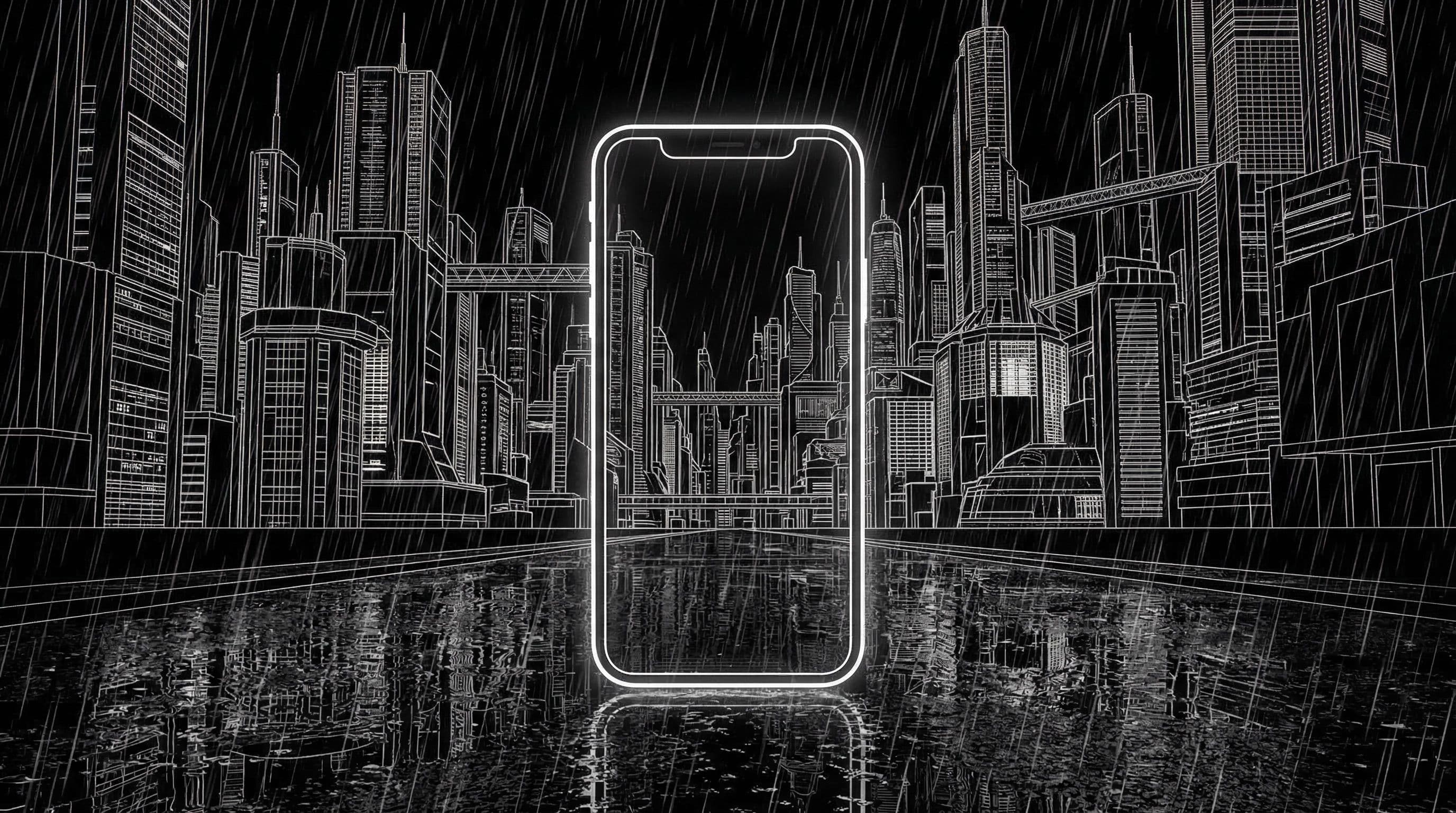
Why Cyberpunk Neon City Wallpapers Stay Popular
Cyberpunk neon city wallpapers have maintained their popularity for years because they accomplish something rare: they make your phone feel like a piece of technology from the future. The combination of deep black backgrounds, vibrant neon accents, rain-slicked surfaces, and towering architectural geometry creates an instantly cinematic atmosphere that no other aesthetic matches.
On AMOLED screens, cyberpunk wallpapers are particularly stunning. The deep blacks in shadows become truly black (pixels turned off), while the neon accents pop with maximum vibrancy. The contrast ratio creates depth that literally cannot be achieved with lighter aesthetics. Your phone screen becomes a window into a neon-lit metropolis.
The challenge — and the reason most cyberpunk wallpapers fail as daily backgrounds — is neon overload. Uncontrolled neon creates visual noise that makes icons unreadable, causes eye fatigue, and turns a cinematic concept into a chaotic mess. The art is using neon strategically, not everywhere.
Color Balance Rules for Neon Wallpapers
Rule 1: One dominant neon color, one supporting accent, everything else stays dark. Blue-magenta is the classic cyberpunk combination. Teal-pink creates a warmer, more approachable variant. Orange-purple generates an intense, sunset-infused futurism. Pick one pair and commit — do not mix three or more neon colors in a single wallpaper.
Rule 2: Neon should occupy no more than 20-25 percent of the total frame area. The remaining 75-80 percent should be deep black, dark gray, or very dark blue. This ratio creates the dramatic contrast that makes cyberpunk compelling while leaving massive icon-safe zones. A single neon sign in a dark alley is more impactful than a wall of neon covering every surface.
Rule 3: Control bloom and glow spread. In AI prompts, specify "controlled neon bloom, no overexposed highlights, tight light falloff, sharp neon edges." Without these instructions, AI models generate neon that bleeds across the entire image, turning dark zones into washed-out neon soup. The drama of cyberpunk comes from the contrast between absolute darkness and concentrated neon brilliance.
Pro Tip: Add "controlled neon bloom, no overexposed highlights, tight light falloff" to every cyberpunk prompt. This single instruction dramatically improves the quality of AI-generated neon scenes by preventing the washed-out, over-glowed output that ruins most cyberpunk wallpapers.
Five Futuristic Concepts for 2026
Concept 1: "Rainy Neon Alley" — narrow city alley after rain, puddles reflecting a single neon sign, steam rising from grates, deep perspective drawing eye into the distance. Maximum dark zones with concentrated neon reflection. Concept 2: "Skybridge Megacity" — elevated walkway between towers, distant city lights creating bokeh below, single neon rail lighting the bridge path, vast dark sky above for icons.
Concept 3: "Hologram Street Market" — ground-level view of a cyberpunk market with holographic signs, busy detail confined to the lower third, calm dark atmosphere above. Concept 4: "Chrome Rooftop Night" — clean rooftop surface reflecting city lights below, single character silhouette or antenna structure, vast dark sky with distant neon horizon line. Concept 5: "Autonomous Taxi District" — empty futuristic road with glowing lane markers, self-driving vehicles in distance, rain reflections stretching neon into abstract streaks.
Each concept places neon activity in specific zones (lower third, edges, distant background) while maintaining massive calm dark areas for icon placement. Use these descriptions directly as AI prompts with your phone-specific formatting appended.
Step-by-Step Icon-Safe Setup Workflow
Step 1: Generate 6-8 cyberpunk wallpapers from one concept. Step 2: Immediately eliminate any image where neon bloom extends into the center icon grid area — no exceptions. Step 3: Check remaining images specifically for icon label readability. White text labels can become invisible against certain neon glows, especially cyan and pink.
Step 4: Test at three brightness levels. Cyberpunk wallpapers that look incredible at max brightness sometimes appear as featureless black rectangles at low brightness. The neon detail should remain visible even at 20 percent brightness. Step 5: Create a home-screen version by darkening the center zone 10-15 percent if needed.
Step 6: After one full week of use, assess eye fatigue honestly. High-contrast neon wallpapers can cause strain during nighttime phone use. Keep only wallpapers that remain comfortable across all lighting conditions.
Build Your Neon Rotation with DreamPixel
Create a cyberpunk folder in DreamPixel and tag wallpapers by color family (blue-magenta, teal-pink, orange-purple) for faster switching. Rotate by weekday mood — cool blue tones for focused workdays, warm orange-purple for weekend energy.
Limit your active cyberpunk collection to 6 wallpapers maximum. High-contrast neon wallpapers demand more visual attention than neutral or pastel aesthetics, so rotating through too many creates decision fatigue. Six strong options is enough for two weeks of variety.
Neon Intensity Tuning for Daily Comfort
Cyberpunk wallpapers default to maximum neon intensity because that is what looks spectacular in a gallery preview. But on a phone screen you stare at for hours, unchecked neon causes eye fatigue, reduces icon readability, and can even cause OLED burn-in with persistent bright elements. Set neon highlights to ACCENT level — not dominant flood level — especially on home screens.
Implementation: use one dramatic lock version with full neon intensity (this is your daily visual treat, seen briefly), and one toned-down home version where neon glow is reduced to rim lighting and distant background accents. The neon is still present and identifiable, but it frames the scene from the edges rather than dominating the entire view. This balance keeps the cyberpunk identity alive without making your phone uncomfortable to use.
Composition Zones for Futuristic UI Harmony
Cyberpunk city scenes are inherently complex — buildings, signs, vehicles, reflections, neon tubes, rain, smoke — which is exactly why zone planning is critical. Keep high-detail city cores (neon signs, crowded streets, complex architecture) in the lower third or side zones. Preserve calmer center "lanes" for app rows — these lanes can contain subtle light reflections or atmospheric haze that feel cyberpunk without competing with icons.
Use ambient haze, rain, or fog as a natural separator between the busy foreground lights and the calmer background architecture. This atmospheric layering gives scenes depth while creating natural calm zones where icons can sit comfortably. The result: a wallpaper that feels densely detailed when you look at it, but mysteriously readable when you need to find an app.
Related Articles
Best Jujutsu Kaisen Wallpapers 2026 — Gojo, Sukuna & Yuji Itadori
Find the best Jujutsu Kaisen wallpapers 2026 with Gojo, Sukuna, and Yuji styles that look sharp on lock screen and home screen setups.
Best Solo Leveling (Sung Jin-woo) Wallpapers for Phone — 4K AMOLED
Build a dark premium phone aesthetic with Solo Leveling wallpapers 4K AMOLED featuring Sung Jin-woo shadow army scenes and high-contrast edits.
Best Frieren: Beyond Journey's End Wallpapers for Android & iPhone
Choose calm, magical Frieren wallpapers that fit Android and iPhone screens while keeping lock screen text readable and beautiful.
FAQ
Which neon colors work best for phone readability?
Blue-magenta and teal-pink provide strong contrast against dark backgrounds without washing out icon labels. Avoid yellow neon — it creates glare-like effects that strain eyes during extended use. Keep neon contained to edges and specific zones rather than spread across the entire frame.
Are cyberpunk wallpapers good for AMOLED screens?
Cyberpunk wallpapers are arguably the best aesthetic for AMOLED screens. The deep black areas become truly black (pixels off), which maximizes battery savings and creates dramatic contrast with neon accents that other aesthetics simply cannot match.
How do I prevent neon wallpapers from looking cluttered?
Limit yourself to one neon color pair (two colors maximum), keep neon coverage under 25 percent of the frame, control bloom with specific prompt instructions, and ensure the center icon grid area remains predominantly dark. Simplicity creates drama — cluttered neon creates noise.
Should lock and home versions be different?
Yes. Lock screens can show the full dramatic neon scene with complex lighting and detail. Home screens should have calmer compositions with neon pushed to edges and the center kept as dark as possible for icon readability.
How often should I rotate cyberpunk sets?
Every 4-7 days. Cyberpunk wallpapers with their high contrast and intensity create faster visual fatigue than neutral or soft aesthetics. Weekly rotation keeps the futuristic feeling fresh without burnout.
Download free wallpapers at DreamPixel
Back to all articles