Best Attack on Titan Wallpapers — Dark & Cinematic Phone Backgrounds
Choose dark cinematic Attack on Titan wallpapers that keep your phone dramatic, readable, and sharp on modern AMOLED displays.

Founder & Lead Designer at DreamPixel Studio
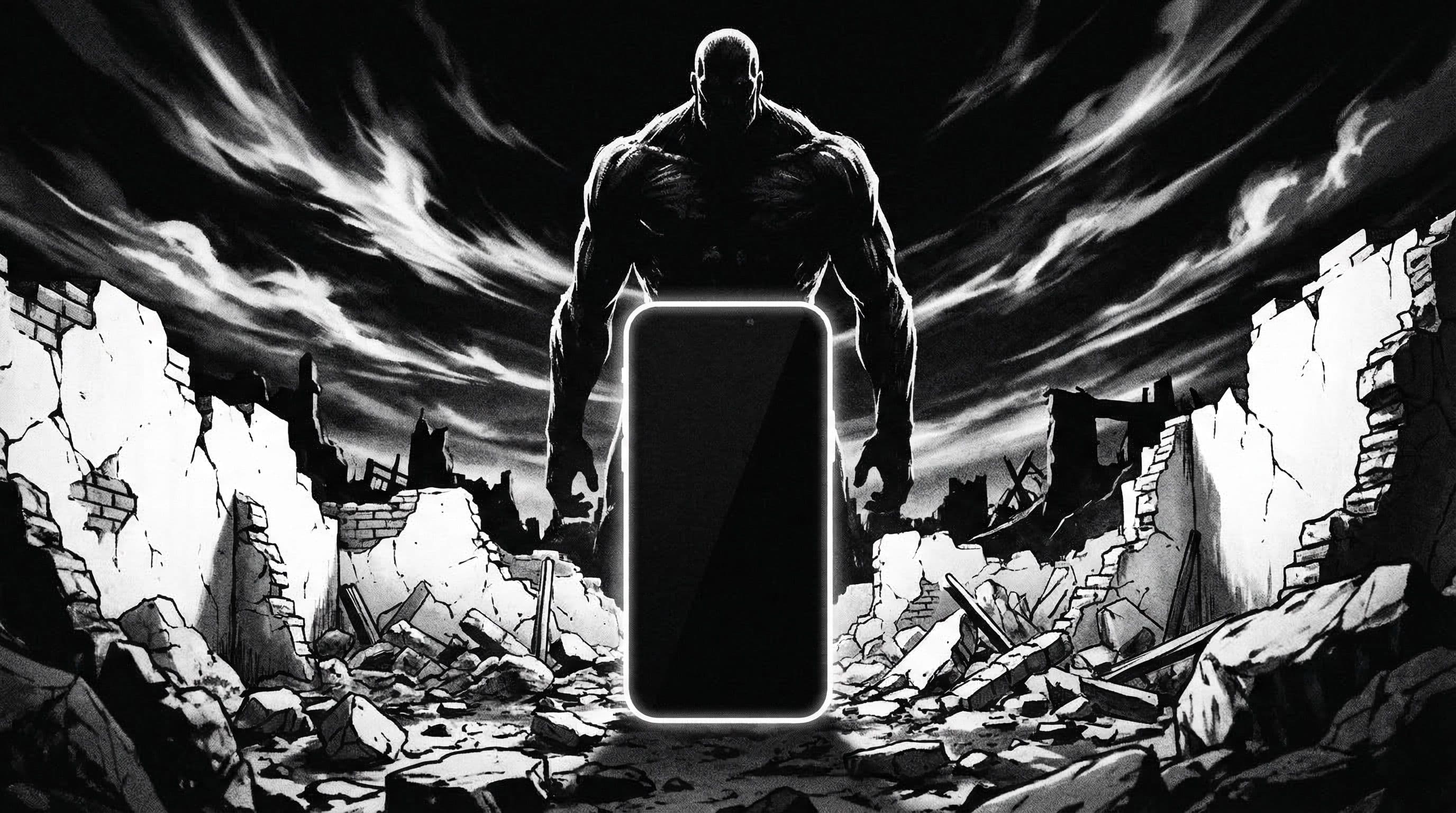
Why Attack on Titan Wallpapers Work So Well in Dark Themes
Attack on Titan's visual DNA was built for dramatic darkness. The show's most iconic imagery — soldiers silhouetted against apocalyptic skies, titan eyes glowing in shadow, ODM gear cables cutting through rain and fog — translates almost directly to phone wallpaper material without needing any adaptation.
What makes AoT art particularly effective on phones is the natural contrast structure. Most scenes use a dark 70-80 percent of the frame with selective bright elements (lightning, eyes, sunset edges) occupying the remaining space. That formula makes wallpapers readable behind app icons — dark zones accommodate your UI while bright focal points deliver impact.
On AMOLED displays specifically, AoT wallpapers achieve a depth that is hard to match. The combination of heavy atmosphere, selective lighting, and dramatic silhouettes creates wallpapers that look more like film stills than cartoon screenshots.
Best Character and Scene Types for Phone Use
For phone wallpapers, prioritize these AoT scene types: close-up character frames (Eren's eyes, Levi's profile against rain), wall-top silhouettes (soldiers standing against vast skies), and dusk battle panoramas with one clear focal point.
These all share a common quality — a clear visual hierarchy with one dominant subject and plenty of calm space around it. Full battlefield scenes with dozens of soldiers and multiple titans look epic in a film context but turn into indecipherable noise on a phone screen.
One particularly effective approach: the "small figure, vast landscape" composition. A lone soldier on top of Wall Maria with an enormous sky above creates natural space for your clock and notifications while the atmosphere does all the dramatic heavy lifting.
Pro Tip: AoT sunset scenes — the orange-to-dark-blue gradient skies behind the Walls — are some of the most universally readable anime wallpapers available. The gradient naturally separates light and dark zones, making both lock screen clocks and home screen icons effortlessly visible.
5 Real Theme Examples to Try
Example 1: "Sunset Wall Silhouette" — a soldier standing atop the Wall with gradient sky behind. The sky handles the clock zone, the wall handles the dark icon zone. Works on both screens. Example 2: "Monochrome Survey Corps" — desaturated battle-worn portrait, high contrast black and white with one subtle color accent (the green cape).
Example 3: "Titan Eye Contrast" — a close-up of a titan eye glowing against pure black. High impact on AMOLED, simple composition. Example 4: "Rain Battle" — Levi in rain with selective blue-white highlights on blade edges. Example 5: "Final Season Dusk" — Marley cityscape at sunset with atmospheric haze creating natural soft zones.
Each example follows the same principle: one clear subject, strong contrast, and calm zones where your phone's interface needs to live. Build your AoT collection around this principle and every wallpaper will work on first apply.
Step-by-Step Workflow for AoT Wallpaper Setup
Step 1: Pick your tone — monochrome dramatic, warm sunset, or cold rain atmosphere. Mixing all three creates visual whiplash when rotating. Step 2: Download 4-6 candidates in your chosen tone. Step 3: Apply each to your actual home screen and check icon readability from arm's length.
Step 4: For lock screen picks, verify that clock and notification text remains visible at both low and high brightness. AoT scenes with fog or atmospheric haze can look great indoors but wash out in sunlight. Step 5: Save finalists in a named pack and commit to one pair for a full week.
This process takes about 10 minutes and saves you from the endless scroll-and-switch cycle that makes wallpaper customization feel like work instead of fun.
Download Free Attack on Titan Wallpapers at DreamPixel
DreamPixel lets you split your AoT favorites into lock and home categories. This simple two-folder structure keeps your phone looking polished every week without decision fatigue.
AoT rewards curation over volume. Five cinematic compositions that pass all your readability tests will give you a better phone experience than fifty random downloads. Pick your strongest visuals, archive the rest, and enjoy a phone that looks like a portal into the world behind the Walls.
Cinematic Contrast Settings That Actually Work
For dark cinematic AoT wallpapers, resist the urge to crank up your phone's display contrast. Keep contrast at default — AoT wallpapers are already designed with dramatic light-dark transitions, and boosting contrast creates harsh, unnatural edges that break gradient smoothness in the sky and atmospheric fog. Also disable any "sharpening" or "vivid" enhancement modes your phone offers. These make AoT wall textures and Survey Corps cloak fabrics look artificial.
What DOES work: using wallpapers with controlled film grain rather than heavy digital noise overlays. Subtle grain adds cinematic texture without reducing icon readability. Heavy digital noise creates visual static that makes everything harder to read. If your source wallpaper has too much grain, slightly blur the center icon zone using any photo editor — this preserves grain on the dramatic elements while cleaning the functional area.
How to Place Widgets on Dramatic AoT Scenes
AoT wallpapers are dramatic by nature — titans, walls, Survey Corps in mid-air — which means widget placement requires extra care. Rule 1: put weather, calendar, and music widgets where the scene has flat shadow areas or empty sky, never overlapping character faces or titan silhouettes. Rule 2: if your scene has a clear horizon line, place widgets above it (in the sky zone) for maximum contrast and readability.
Rule 3: if space is limited and widgets must overlap detailed areas, reduce widget opacity to 70-80 percent using your launcher settings. This creates a glass-like effect where you can still see the dramatic art through the widget while maintaining text readability. The key is intentional placement that feels designed, not accidental overlap that feels cluttered.
Practical Example Packs
Build three cinematic AoT folders and assign each to specific days. "Wall Defense Dusk" — wall-top scenes with sunset behind massive walls, Survey Corps silhouettes, and dramatic scale contrast between soldiers and architecture. Use Monday through Wednesday. "Survey Corps Fog" — expedition scenes with atmospheric fog, horseback riding through forests, and mysterious fog-shrouded landscapes. Use Wednesday through Friday.
"Titan Horizon" — titan encounter scenes with ominous titan silhouettes against dark skies, dramatic scale shots, and tension-filled compositions. Use Friday through Sunday for maximum cinematic weekend energy. Archive any wallpaper from any pack that causes icon readability issues within 24 hours of use — fast pruning keeps your entire collection at premium quality.
Related Articles
Best Golden Kamuy Wallpapers — 2026 Final Chapter Edition
Explore Golden Kamuy wallpapers 2026 inspired by the final chapter era, with rugged cinematic tones and practical setup guidance.
Best AI Prompts for Dark AMOLED Wallpapers — Copy & Paste Ready
Use copy-paste ready prompt formulas to generate dark AMOLED wallpapers with cleaner contrast, better icon visibility, and premium lock screen depth.
Best Jujutsu Kaisen Wallpapers 2026 — Gojo, Sukuna & Yuji Itadori
Find the best Jujutsu Kaisen wallpapers 2026 with Gojo, Sukuna, and Yuji styles that look sharp on lock screen and home screen setups.
FAQ
Are Attack on Titan wallpapers better in dark mode?
Yes, and it is not close. AoT's signature dark atmospheric scenes gain tremendous depth in dark mode because the UI elements blend seamlessly with the wallpaper's dark zones. In light mode, the bright UI can clash with the moody aesthetic.
What scene style is most readable for daily use?
Single-subject silhouettes with clear negative space around icon areas. Wall-top soldier shots and sunset profile scenes consistently test well because they naturally separate the subject from UI zones through composition.
Should I use action scenes for home screen?
Reserve intense action scenes for lock screen, where fewer UI elements compete. Home screens with dense app grids need calmer backgrounds — atmospheric landscapes, silhouettes, or desaturated portraits work better for daily readability.
How often should I rotate dark AoT wallpapers?
Weekly rotation is the sweet spot. Dark atmospheric wallpapers tend to age well because they are low-fatigue visuals. When you do rotate, stay within the same tone family for visual consistency.
Which AoT season has the best wallpaper material?
The Final Season offers the richest material thanks to MAPPA's cinematic production style. The Marley arc cityscapes, rain battles, and atmospheric dusk sequences all produce phone-ready compositions. Season 1 titan close-ups are also excellent for high-impact AMOLED lock screens.
Download free wallpapers at DreamPixel
Back to all articles