Best TRIGUN STARGAZE Wallpapers for Phone
Get the best TRIGUN STARGAZE wallpapers for phone with clean desert-cinematic styles, character focus, and practical setup tips.

Founder & Lead Designer at DreamPixel Studio
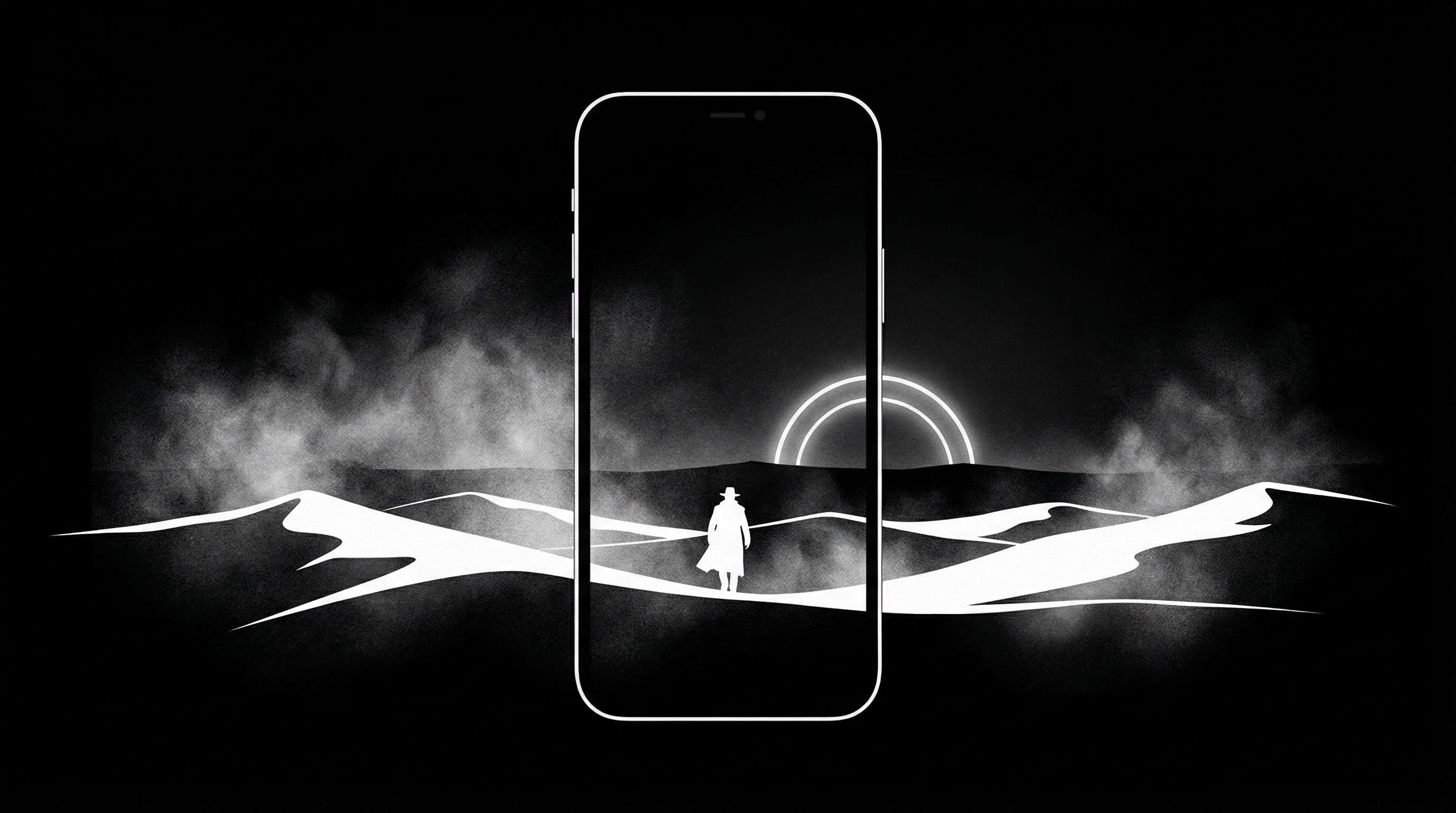
Why TRIGUN STARGAZE Wallpapers Look Great on Phones
TRIGUN STARGAZE wallpapers bring something refreshingly different to the anime phone aesthetic. Instead of the usual dark alleys, neon glows, and rainy cityscapes, TRIGUN gives you expansive desert skies, warm sandy tones, and bold character silhouettes set against vast horizons.
That visual identity fits phone screens exceptionally well for a practical reason: desert landscapes are mostly open sky and ground, which translates to large areas of calm negative space. Your icons, widgets, and notification text sit naturally within these zones without fighting for attention. The character silhouette provides focal drama while everything else stays clean.
The TRIGUN STARGAZE aesthetic also pairs beautifully with minimalist icon packs. If you run a clean launcher setup with simple line icons or monochrome circular packs, these wallpapers can make your phone look like a curated design portfolio rather than a default anime setup.
Best Composition Types for Lock and Home
For lock screens, use character-forward compositions — Vash standing against a vast sky, weapon raised or coat flowing. The character occupies the center or lower-center while the empty sky above accommodates your clock, date, and notification previews. Instant visual impact the moment you press your power button.
For home screens, switch to wider horizon scenes — open desert stretches with a distant figure, sunset skylines over sand towns, or abstract dust-cloud textures. These have lower visual complexity in the center where your app grid lives, keeping everything readable while maintaining the TRIGUN mood.
Avoid text-heavy fan posters or promotional art with character name overlays. These compete directly with your lock screen clock and app labels, creating a cluttered interface that undermines both the art and usability.
Pro Tip: TRIGUN sunset scenes with warm amber-to-dark-blue gradient skies are among the most readable anime wallpapers available. The gradient naturally separates the bright clock zone from the dark icon zone.
5 Real Theme Examples You Can Recreate
Example 1: "Desert Sunset Frame" — Vash silhouetted against a wide amber sunset, dust particles drifting, vast sky above for lock screen use. Example 2: "Night Duel Silhouette" — two figures facing off under starlight, deep blue-black palette with star-point accents. Perfect for AMOLED lock screens.
Example 3: "Rust Tone Minimal" — close-up of Vash's coat or cross details against a textured sandy background. Clean enough for home screen. Example 4: "Twin Sun Rise" — TRIGUN's signature double sun horizon, warm gradient with cinematic scale. Example 5: "Dust Town Calm" — distant view of a desert settlement at magic hour, muted tones with one warm light source.
Save each as lock and home pairs for quick switching without redesigning your entire setup. The pairing approach keeps your aesthetic consistent while giving you variety across the week.
Download Free TRIGUN STARGAZE Wallpapers at DreamPixel
Create a TRIGUN STARGAZE pack in DreamPixel and assign one wallpaper pair to each weekday. Your phone tells a visual story that matches the show's journey across desert landscapes.
Track which scenes remain readable during your busiest days — commuting, outdoor use, quick notification checks. The wallpapers that survive real-world stress tests are the ones worth keeping permanently. Everything else can be archived guilt-free.
Desert-Cinematic Color Management
TRIGUN scenes characteristically mix warm sand and desert tones with bright celestial sky highlights — a combination that can look spectacular on phone screens but also risks washing out icon visibility if saturation is not controlled. The fix: keep saturation at medium rather than maximum. Overly saturated desert oranges make the entire screen feel hot and heavy, while moderate saturation preserves the warm cinematic feel without overwhelming your eyes or your icons.
For lock/home pairing: use one high-contrast scene (Vash against a sunset, dramatic standoff lighting) for the lock screen where visual impact matters most. Use one muted horizon scene (vast desert stretching to distant dunes, wide atmospheric sky) for the home screen where icon readability is the priority. The same color family, different intensity levels — this creates coherent identity with functional distinction.
Compositions That Fit Modern 9:19.5 Displays
TRIGUN's wide desert landscapes look cinematic in 16:9 widescreen but need careful adaptation for the tall, narrow 9:19.5 phone format. The compositions that work best: subject (Vash, Wolfwood, or key object) positioned near the lower center with open sky stretching above. The vast sky becomes natural icon-safe space while the subject anchors the lower third with visual weight.
What does NOT work well: horizontal-heavy compositions with action or movement spread across both left and right edges. When cropped to 9:19.5, these lose their dramatic spread and the subjects get cut off or squeezed into awkward framing. Also avoid wide group shots of the full cast in a landscape — the characters become too small to recognize after vertical cropping. Vertical storytelling (tall skies, lone figures, vertical structures) is what phone displays do best.
Practical Presets for Weekly Use
Three tested presets: "Sunset Dust" — warm desert sunset scenes with Vash silhouettes, golden light, and vast orange-pink skies. Use early in the week for warm, hopeful energy. "Blue Night Duel" — nighttime confrontation scenes with moonlit desert, gunmetal blue tones, and cool atmospheric tension. Use midweek for focused, dramatic intensity.
"Minimal Rust" — simplified desert textures with muted rust and sand gradients, minimal character presence, and clean compositions. Use on busy productivity days when you want the TRIGUN aesthetic without visual complexity. Keep one extra neutral fallback image (clean gradient or simple sky) for days when even minimal wallpapers feel like too much. Rotate every two days and immediately remove any style that hurts icon readability — never compromise function for aesthetics.
Related Articles
Best Jujutsu Kaisen Wallpapers 2026 — Gojo, Sukuna & Yuji Itadori
Find the best Jujutsu Kaisen wallpapers 2026 with Gojo, Sukuna, and Yuji styles that look sharp on lock screen and home screen setups.
Best One Piece Wallpapers 2026 — Luffy, Zoro & Aesthetic Backgrounds
Explore the best One Piece wallpapers 2026 with Luffy and Zoro themes, from bright adventure scenes to dark aesthetic backgrounds.
Best Golden Kamuy Wallpapers — 2026 Final Chapter Edition
Explore Golden Kamuy wallpapers 2026 inspired by the final chapter era, with rugged cinematic tones and practical setup guidance.
FAQ
Are TRIGUN STARGAZE wallpapers better with dark mode?
Many scenes naturally look great in dark mode because they feature deep sky gradients and warm accent lighting against dark backgrounds. Night duel scenes and starlit compositions are especially effective. However, daytime desert scenes also work in light mode if the warm tones complement your UI theme.
What style works best for icon-heavy home screen layouts?
Wide horizon scenes with open negative space in the center. Look for compositions where visual interest is concentrated at top (sky) and bottom (ground) while the middle stays calm. This gives your app grid a clean background without sacrificing atmosphere.
Should I keep multiple variants of one TRIGUN scene?
Yes — one dramatic version for lock screen and one calmer variant for home screen. This gives consistency in color mood while serving each screen's different functional needs. If both come from the same art family, the lock-to-home transition feels intentionally designed.
How often should I refresh this wallpaper theme?
Every 1 to 2 weeks. TRIGUN desert aesthetics have a timeless quality that does not fatigue quickly, so you can keep the same wallpaper longer than busier anime themes. When rotating, stay within the same color temperature for visual consistency.
Can TRIGUN STARGAZE wallpapers work for non-anime fans?
Definitely. The desert landscape and western-inspired aesthetic reads as "cinematic sci-fi" or "digital art" to anyone unfamiliar with the show. Many TRIGUN compositions look like high-end concept art, making them comfortable choices even in professional settings.
Download free wallpapers at DreamPixel
Back to all articles